
Assign It. Track It. Stop Chasing People.
Self-paced training your members complete on their own — tracked and tied to requirements automatically.
- Three completion methods including quizzes
- Optional instructor verification
- Group assignment with automatic expansion
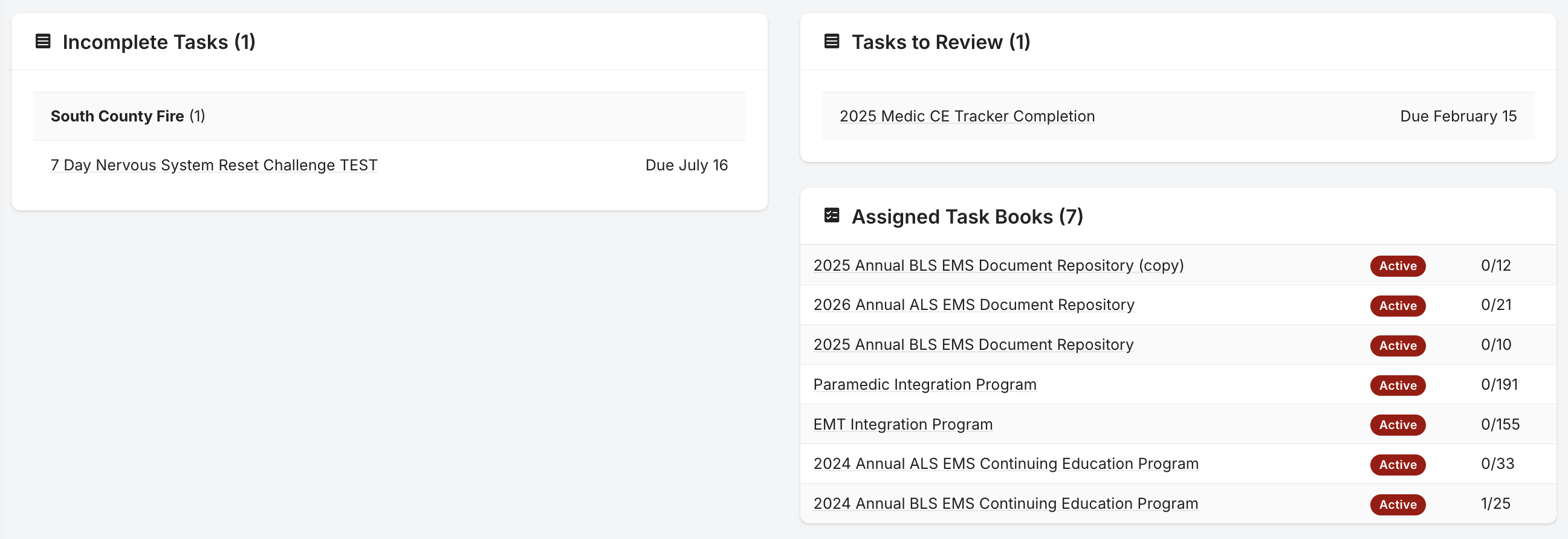
Three Completion Methods
Self-certification, quiz-based verification, or EMS Connect integration. Pick the right method for each task.
- Self-certification
- Quiz-based completion
- EMS Connect integration
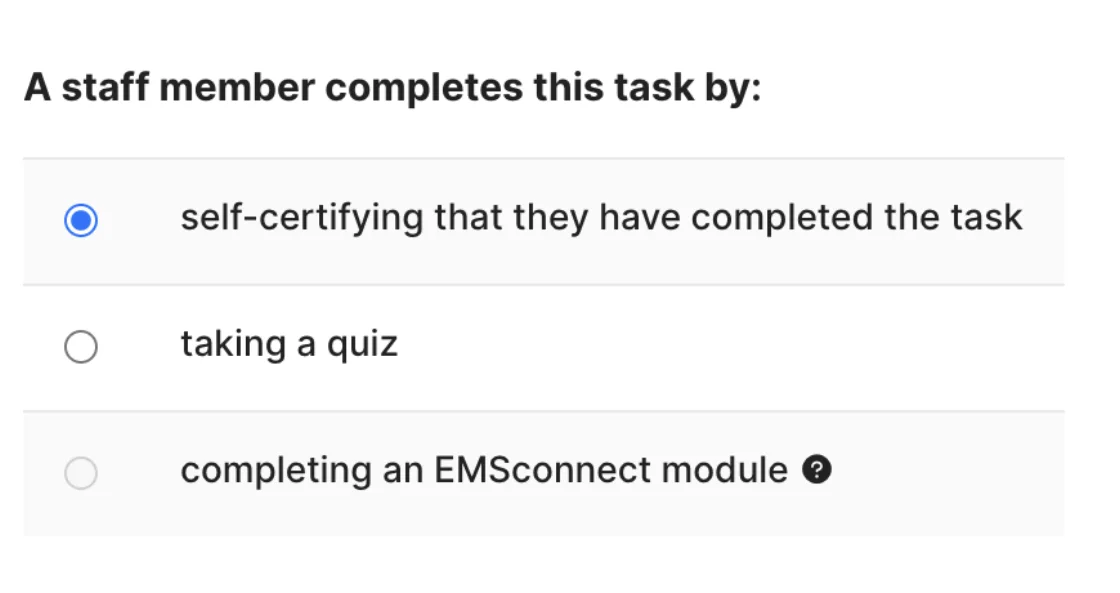
Optional Instructor Verification
Enable 'verified by creator' and the task doesn't count until you review and approve the member's completion. Full control when you need it.
- Full control when you need it
- Hands-off when you don't
- Review and approve completions
I love how flexible and customizable it is. Our crews understand how to use it and it's easy to teach to new recruits.Training Administrator, Career Department
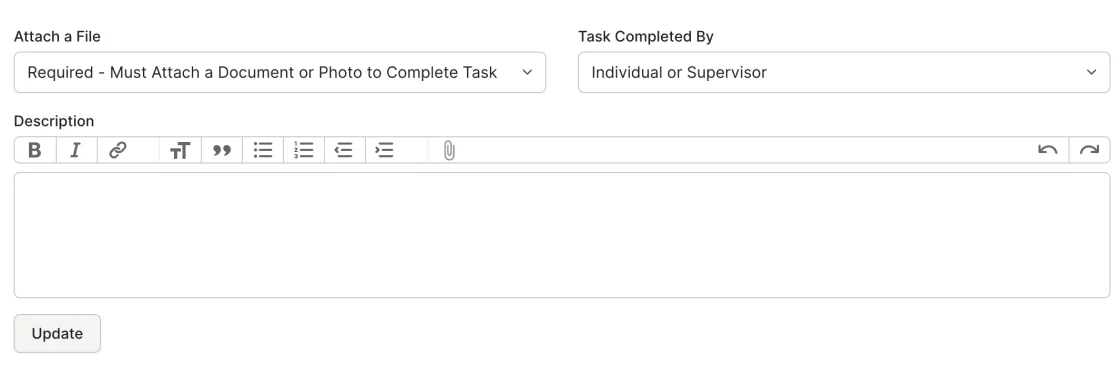
Required Document Uploads
Configure tasks to require proof — a certificate, a photo, a signed form. Members can't mark the task complete until they upload.
- Require proof before completion
- Support for certificates / photos / forms
- Members can't skip the upload
Group Assignment
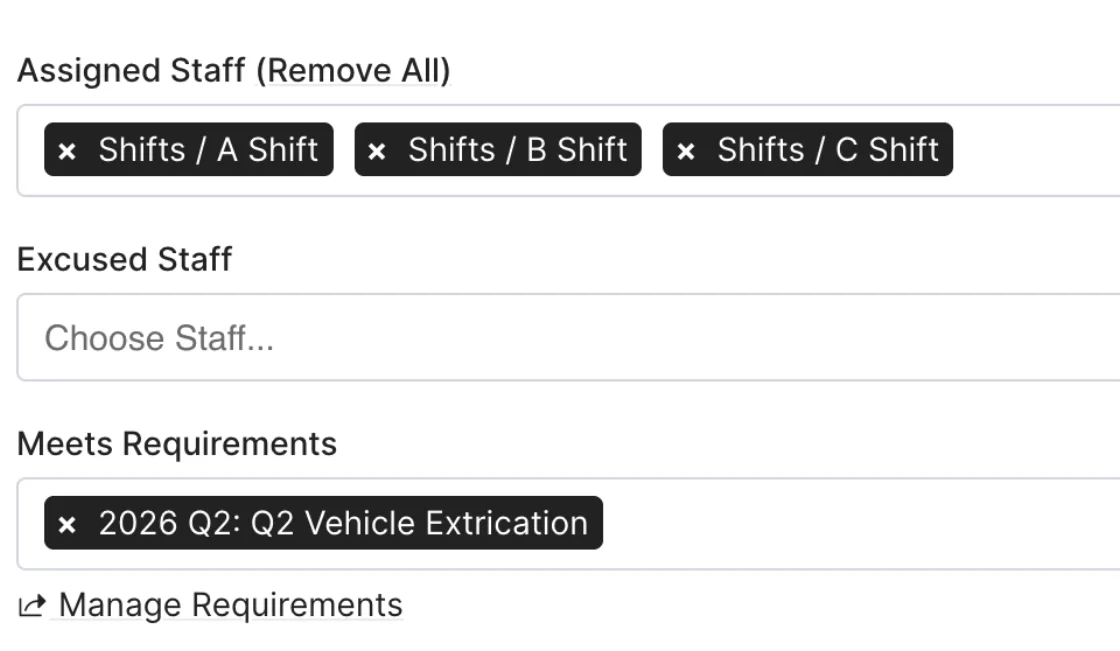
Assign a task to a group and every member gets it. No individual assignment needed. New members picked up automatically.
- Auto-expand to all active members
- No individual assignment needed
- New members picked up automatically
Saves time, provides accuracy, makes people accountable for themselves and their training.Secretary / Treasurer, Volunteer Fire Department
Due Dates and Status Tracking
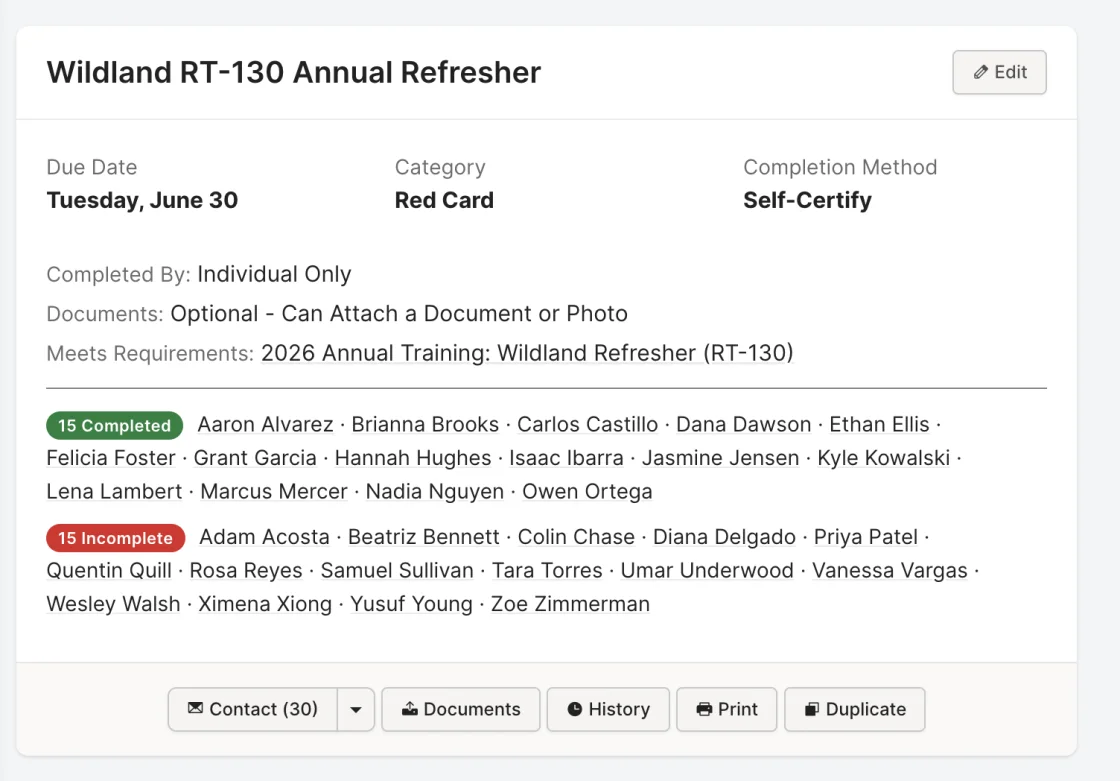
Every task shows its status: upcoming, overdue, expired, completed, excused. Members see what's due. You see who's behind.
- Clear status for every member
- Members see what's due and when
- You see exactly who's behind
Price, ease of use, fast and receptive customer service/tech support.Training Captain, Career Department
Excuse and Incompletion Handling
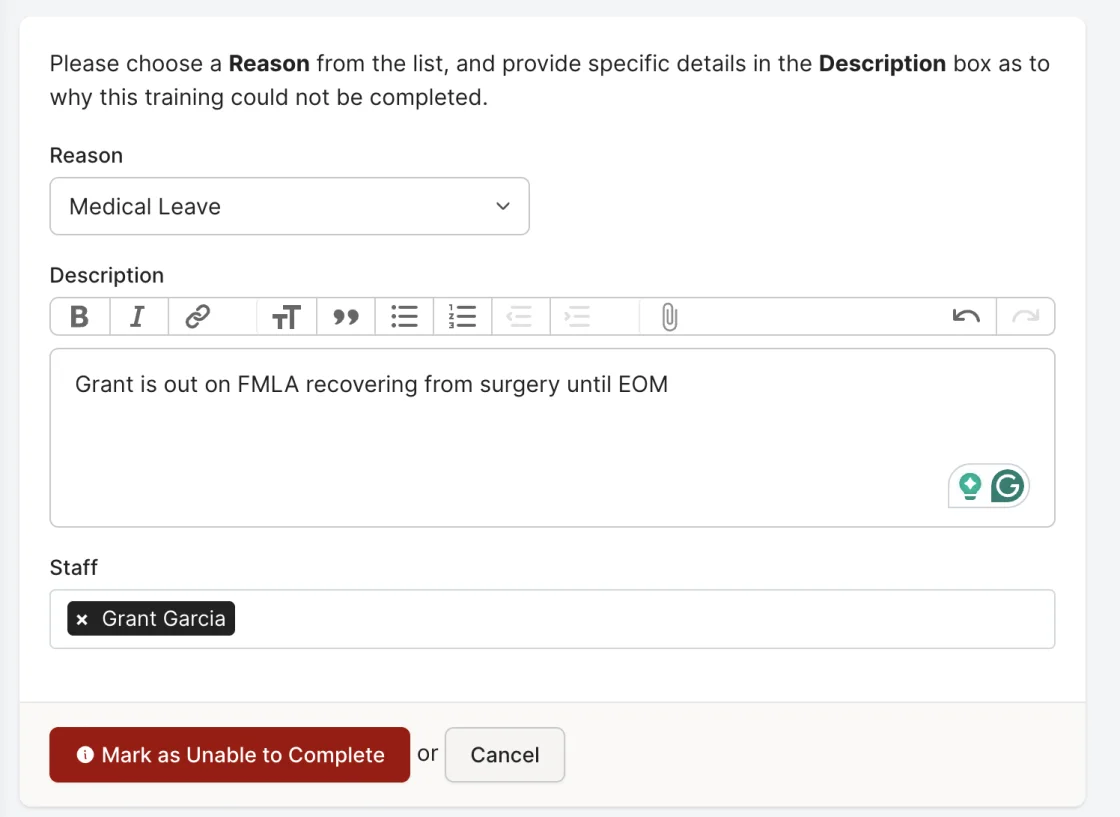
Excuse members from tasks for medical leave or transfers. Mark members 'unable to complete' with documented reasons — not counted as failures.
- Documented excuses (not counted as failures)
- Structured incompletion reasons
- Full audit trail on exceptions
How It Works
Create
Define the task: name, description, due date, completion method, and linked requirements.
Assign
Add individuals or groups.
Complete
Members self-certify, pass a quiz, or complete EMS Connect coursework.
Verify
Optionally review and approve completions.
Track
Requirements update automatically; dashboard shows real-time status.
Who It's For
Training Officers
Assign training once and track it without chasing people. See who's done and who's behind at a glance.
Members
See your tasks, due dates, and exactly how to complete them. No guessing.
Supervisors
Verify your crew's completions or mark them done yourself via Roster My Crew.
Fire Academies
Assign coursework and skills to an entire recruit class at once, and see who is on track to graduate at a glance.
Everything Works Together
Your data enters once and flows everywhere it needs to go. Requirements, Events, Tasks, Task Books, Reports, and Department Management are all connected.
Ready to Ditch the Spreadsheets?
See how Rescue Hub can replace your paper forms, scattered files, and manual tracking with one platform your whole department will actually use.