
Schedule It. Track It. Done.
One workflow to schedule training, record attendance, and update compliance automatically.
- Digital attendance replaces paper sign-in sheets
- Linked requirements update instantly
- Recurring events with calendar integration
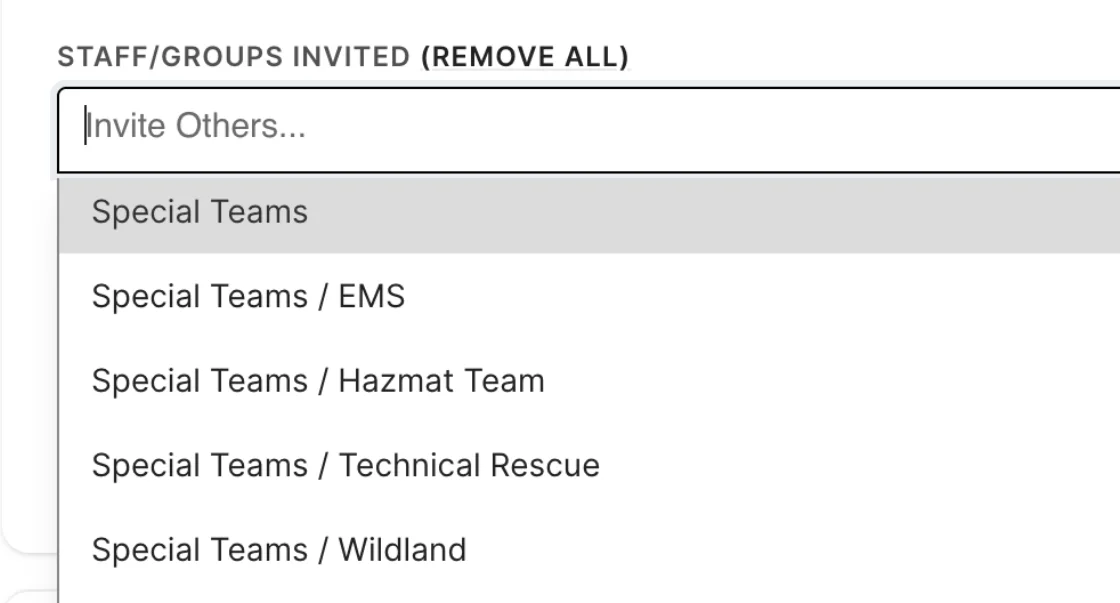
Group-Wide Invitations
Invite an entire group and the system auto-expands to every active member. No typing names one by one.
- Auto-expand group invitations
- Add or remove individuals as needed
- No typing names one by one
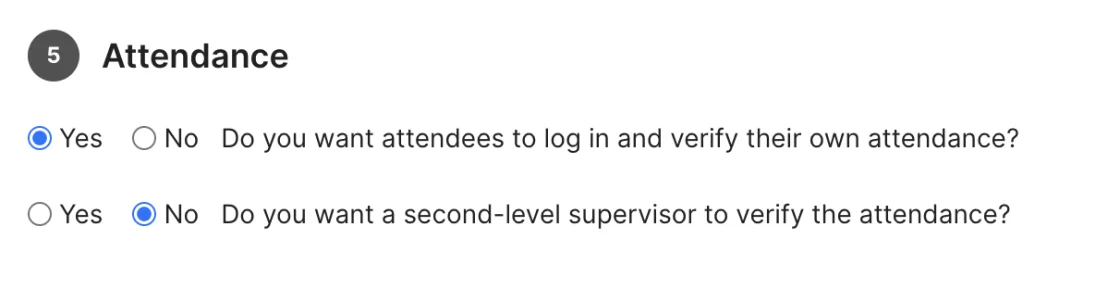
Three-Tier Attendance Verification
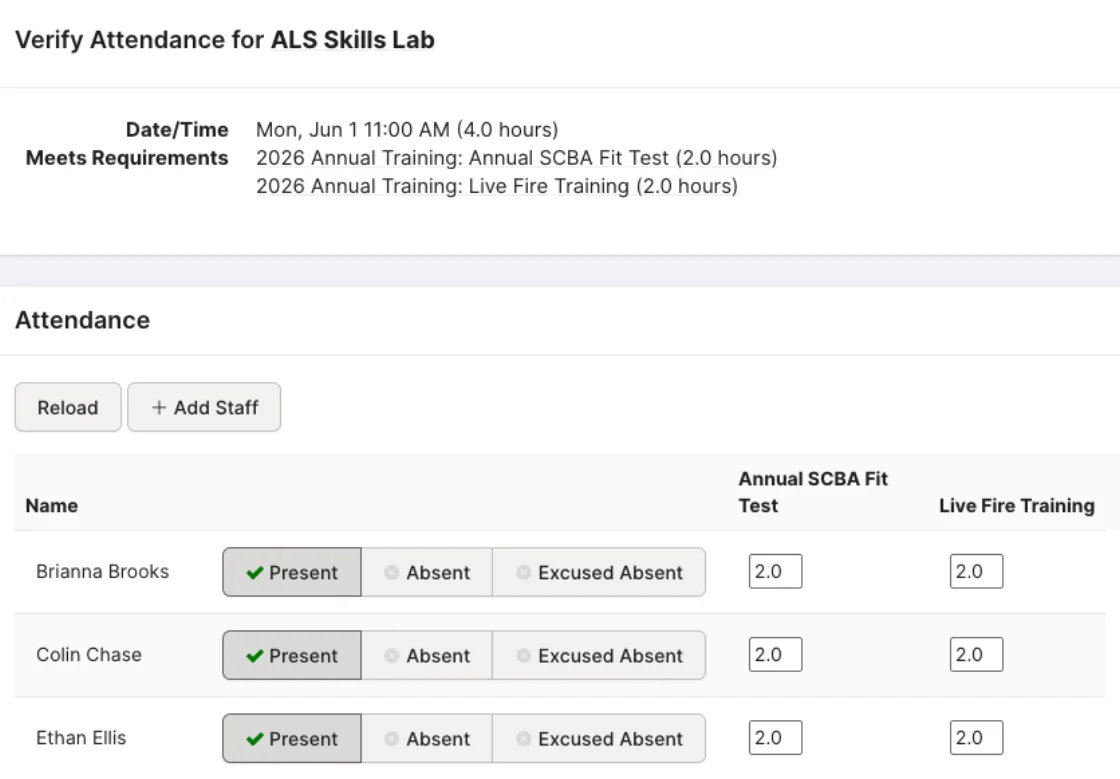
Configure who verifies attendance per event: students self-report, instructors confirm, supervisors review. Every verification is timestamped and attributed.
- Student self-reporting
- Instructor confirmation
- Supervisor review
- Every verification timestamped
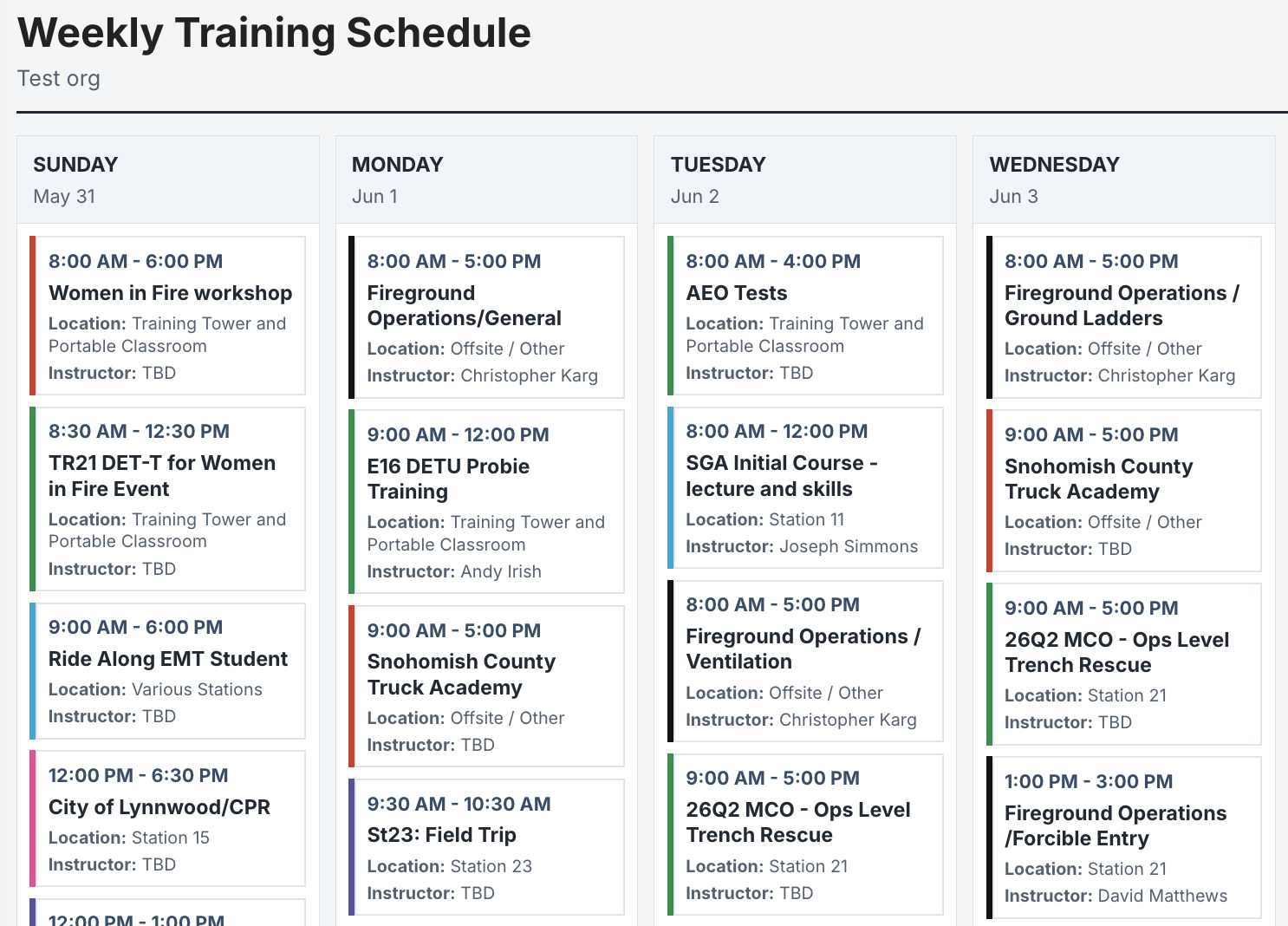
A central hub for what's happening — training, events, scheduling. One platform for communication is key.Training Captain, Career Fire Department
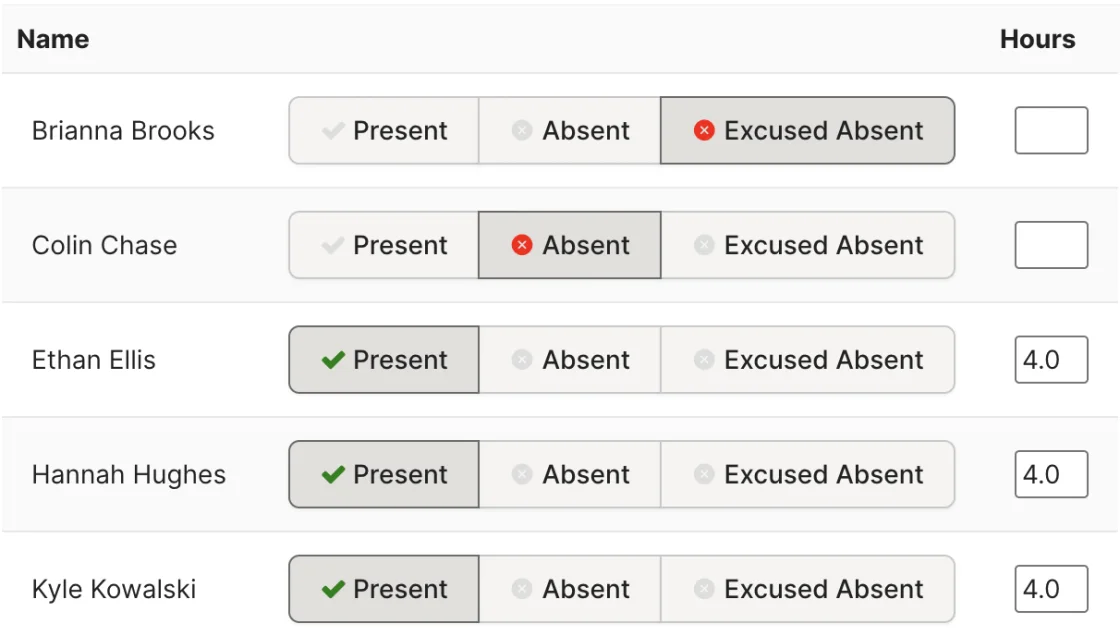
Custom Attendance Tags
Define what 'present' and 'absent' mean for your department. Excused Absence, Late Arrival, Left Early — whatever your department tracks.
- Excused Absence / Late Arrival / Left Early
- Custom tags for your workflow
- Configurable per event
Multi-Requirement Fulfillment
One event can satisfy multiple requirements. Run an 8-hour training day covering fire suppression and hazmat? Allocate hours across both requirements.
- Split hours across requirements
- Proportional or explicit allocation
- One event covers multiple needs
Has been very beneficial and saves time. Forces self-accountability.Secretary/Treasurer, Volunteer Department
Recurring Events
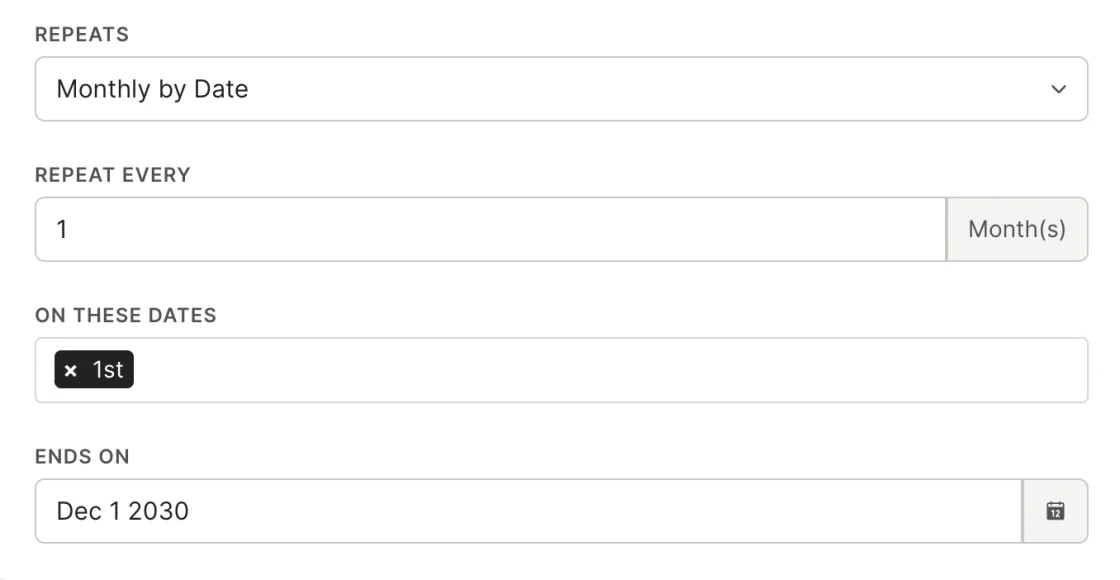
Weekly drills, monthly trainings, quarterly reviews — set the pattern once and the system creates them for you.
- Daily / weekly / monthly / annual recurrence
- Configurable end dates
- System creates events for you
I can quickly see where members stand with their training hours. Way too many hours spent with spreadsheets before.Fire Chief, Volunteer Fire Department
Calendar Integration
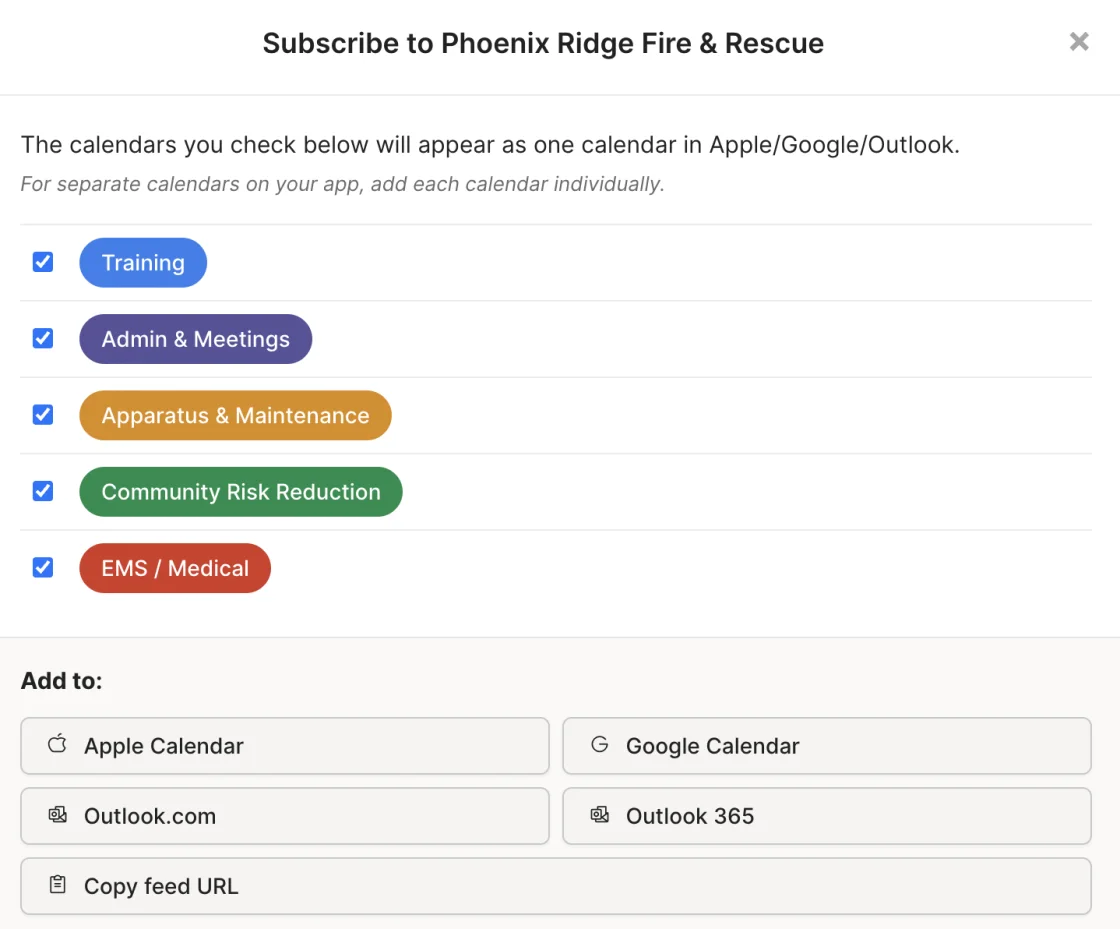
Events appear on your department's calendar. Members can export to Google Calendar, Outlook, or Apple Calendar via iCalendar.
- iCalendar export
- Shared calendars for partner organizations
- Cross-organization visibility
How It Works
Create
Set the event name, date, time, location, and duration.
Invite
Add individuals or groups as attendees.
Link
Connect requirements this event satisfies, with hour allocations.
Train
Deliver the training and bring your roster.
Record
Mark attendance with configurable verification tiers.
Done
Linked requirements update automatically for every member marked present.
Who It's For
Training Officers
Create events, record attendance, and update compliance in one workflow instead of three.
Instructors
Verify your students' attendance directly in the platform. No paper sign-in sheets.
Members
See upcoming training on your calendar. Self-report attendance when required.
Chiefs
See a real-time calendar of department training without asking for a schedule.
Fire Academies
Schedule academy sessions and capture recruit attendance and hours across the whole cohort — documented seat time for certification.
Everything Works Together
Your data enters once and flows everywhere it needs to go. Requirements, Events, Tasks, Task Books, Reports, and Department Management are all connected.
Ready to Ditch the Spreadsheets?
See how Rescue Hub can replace your paper forms, scattered files, and manual tracking with one platform your whole department will actually use.