
Your Org Chart. Your Roster. One Platform.
Structure your department how it actually operates — everything else follows automatically.
- Unlimited hierarchy depth
- Shift and station integration
- Role-based permissions and rank system

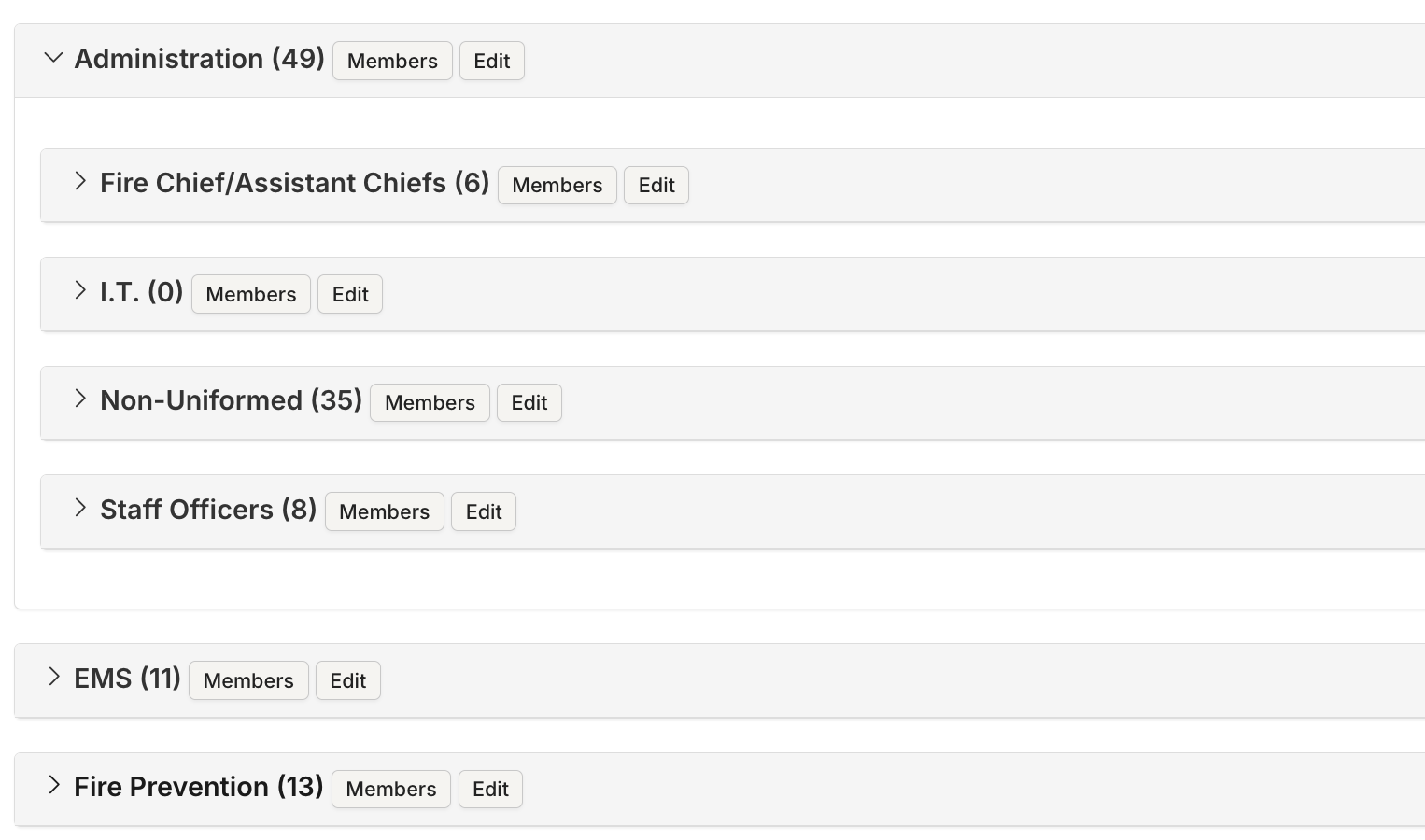
Unlimited Hierarchy
Divisions, battalions, shifts, stations, crews, committees — nest groups as deep as your organization needs. The structure mirrors how you actually operate.
- Mirror how you actually operate
- Unlimited nesting levels
- Divisions / battalions / shifts / stations / crews
Shift and Station Integration
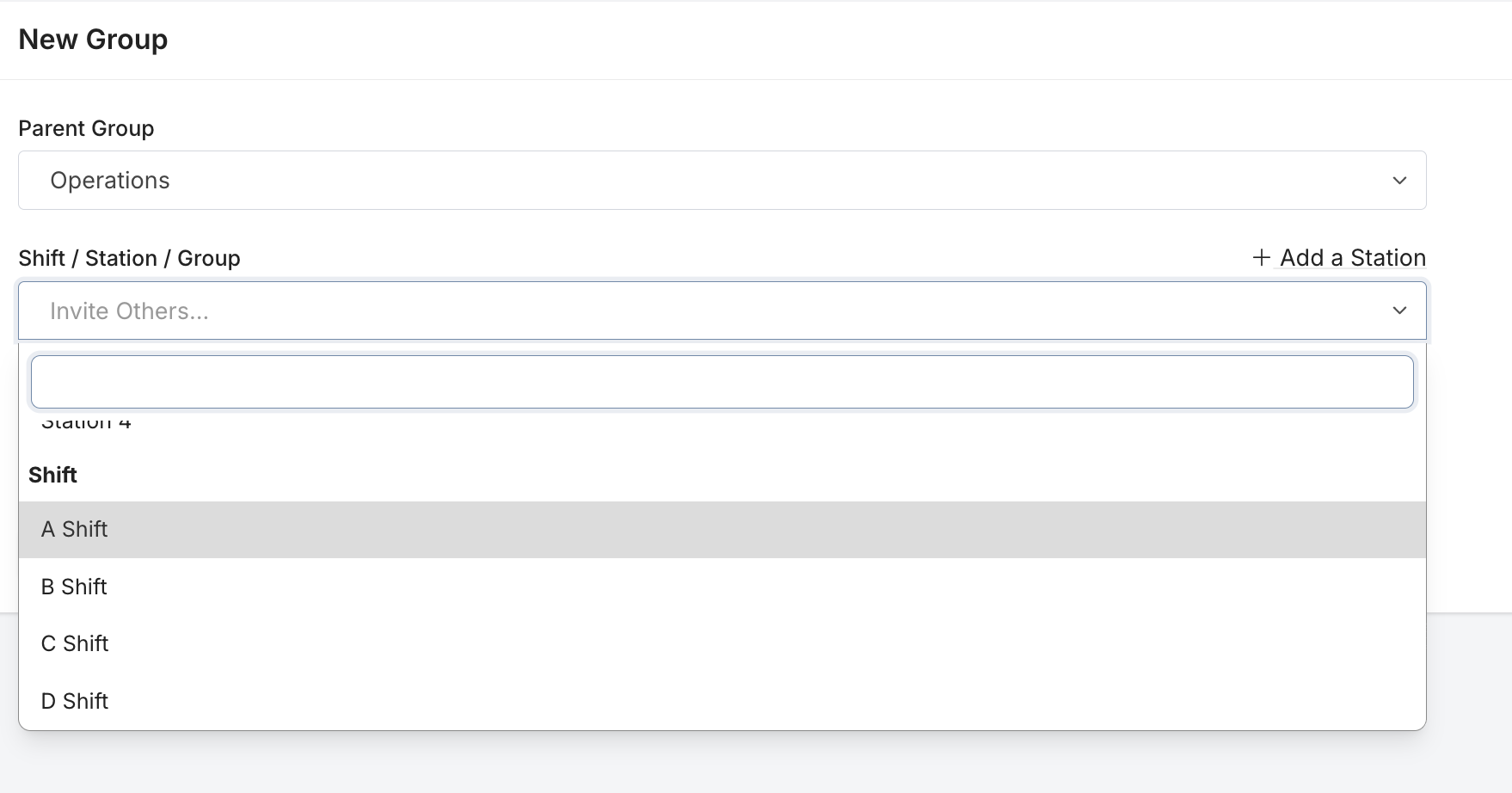
Link any group to a shift (A, B, C) or a station (physical location with address). Members automatically inherit the assignment.
- Link groups to shifts
- Link groups to stations
- Members inherit assignments automatically
Schedule, log, and track training. It is what we know and it has worked well for us.Fire Chief, Career Fire Department
Role-Based Permissions
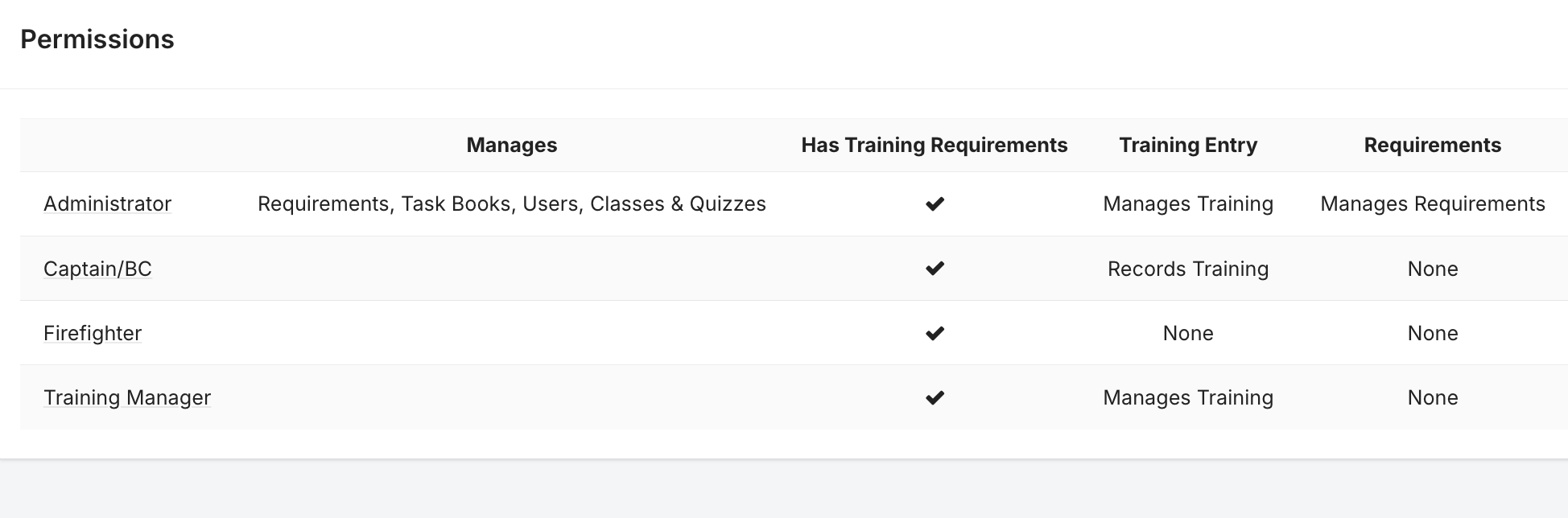
Define roles with granular permissions: training creation, user management, course management, administrator access. The right people see the right things.
- Granular permission levels
- The right people see the right things
- Configurable per role
Rank System
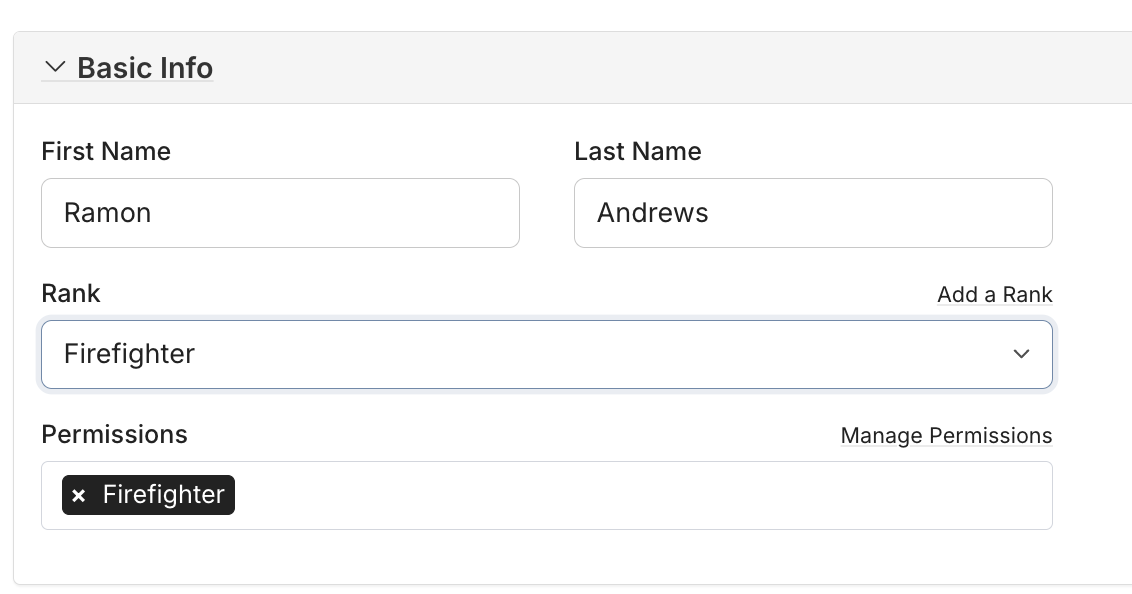
Configure ranks with abbreviations and sort orders. Ranks display throughout the platform and sort roster views.
- Chief / Captain / Lieutenant / Engineer / Firefighter
- Custom abbreviations and sort order
- Ranks display across the platform
New members are up and running on day one — not day thirty. Less admin overhead means your training officer focuses on training, not tech support.Training Administrator, Combination Department
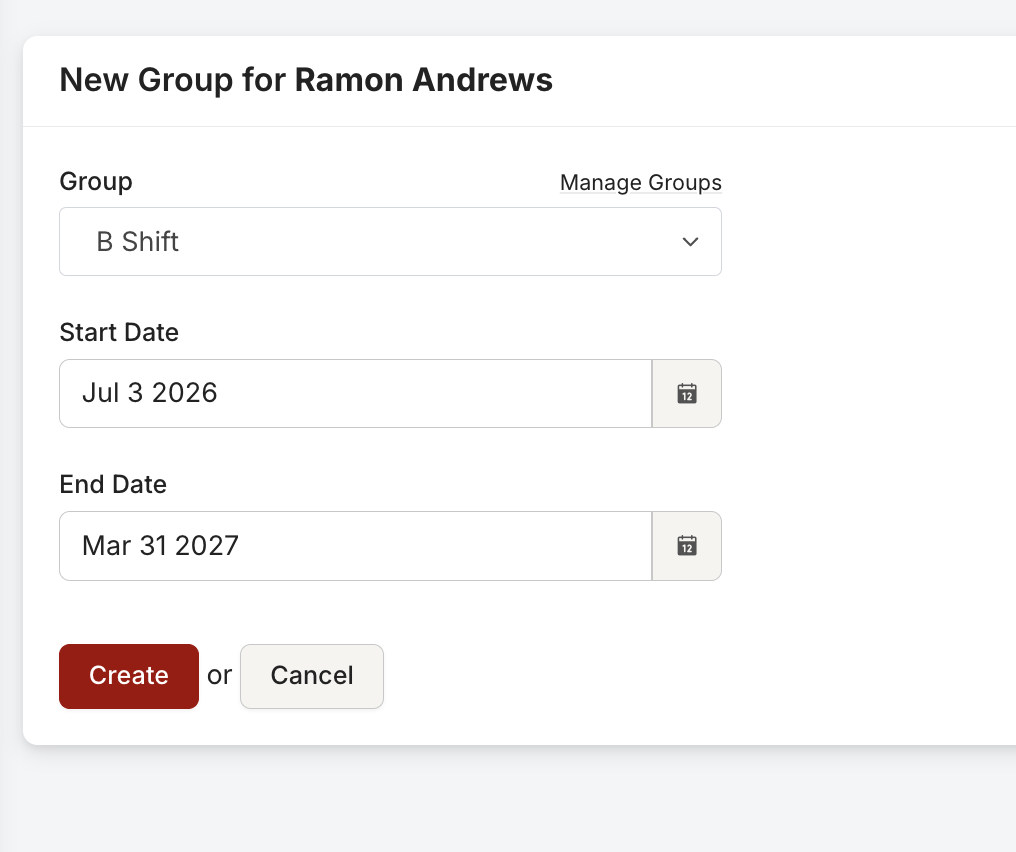
Temporal Memberships
Assign members to groups with start and end dates. Track historical assignments. Schedule future transfers.
- Start and end dates per assignment
- Historical assignment tracking
- Schedule future transfers
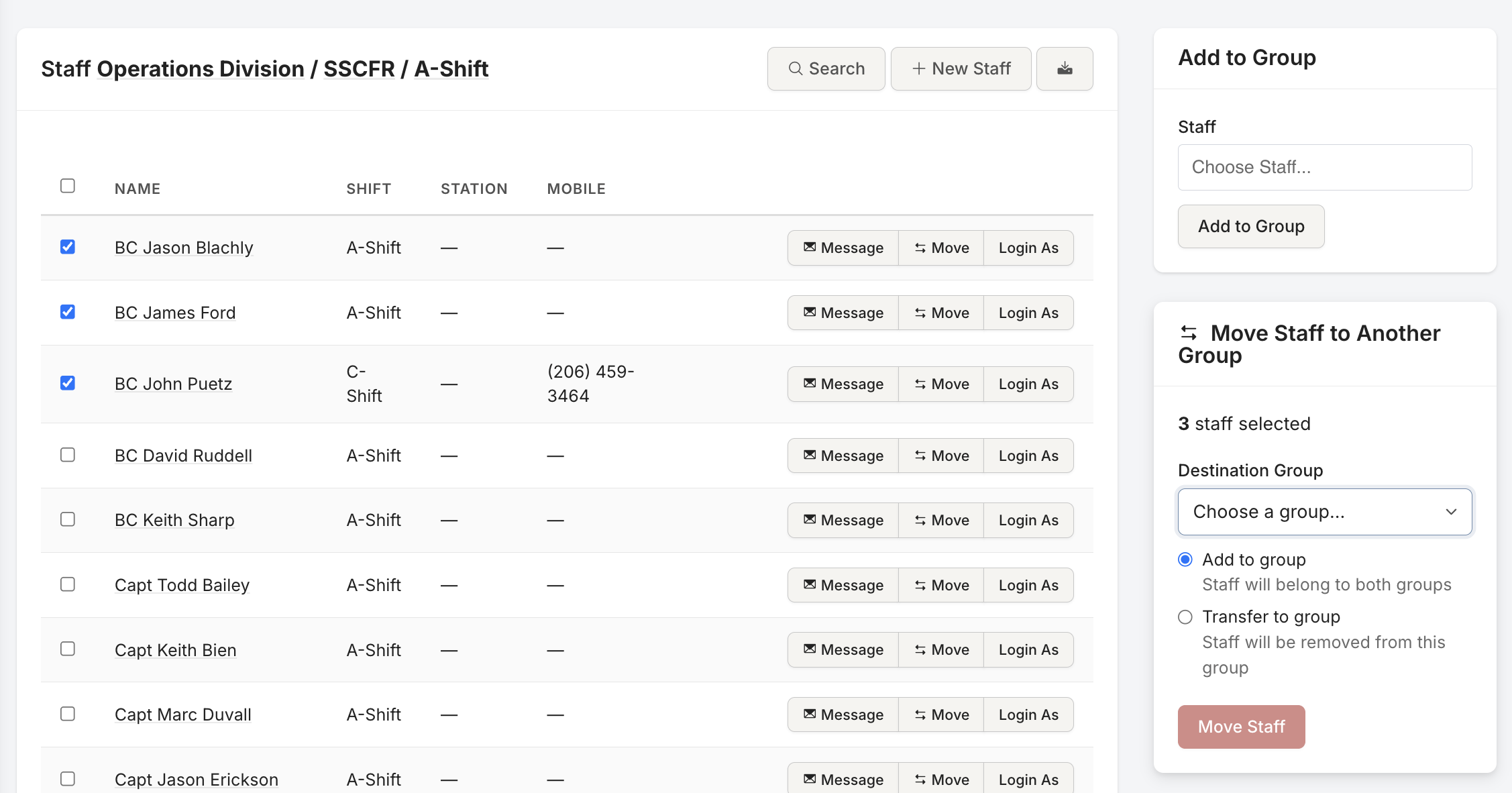
Bulk Staff Operations
Transfer or copy members between groups in one operation. The system handles edge cases — existing memberships, future-dated assignments, overlapping periods.
- Bulk transfer and copy
- Handles edge cases automatically
- Existing memberships and overlaps managed
I love how flexible and customizable it is. Our crews understand how to use it.Training Administrator, Career Fire Department
How It Works
Structure
Build your group hierarchy with divisions, shifts, stations, and crews.
Staff
Add members with roles, ranks, and date ranges.
Assign
Requirements, events, and tasks target groups — members are tracked automatically.
Manage
Transfer, promote, and organize your roster as your department evolves.
Report
Every report can filter by your organizational structure.
Who It's For
Chiefs
See your department structured the way you think about it. Get compliance data by division, shift, or station.
Training Officers
Assign training to groups instead of individuals. The structure does the work.
Administrators
Manage rosters, roles, and permissions from one place.
Members
See your assignments, your rank, your station, and your role — all in your profile.
Everything Works Together
Your data enters once and flows everywhere it needs to go. Requirements, Events, Tasks, Task Books, Reports, and Department Management are all connected.
Ready to Ditch the Spreadsheets?
See how Rescue Hub can replace your paper forms, scattered files, and manual tracking with one platform your whole department will actually use.