
Any Report. Under 60 Seconds. Any Format.
14+ pre-built compliance reports, filterable by group, shift, date range, and status.
- PDF, Excel, and CSV export
- Real-time data from live training records
- Permission-based access controls
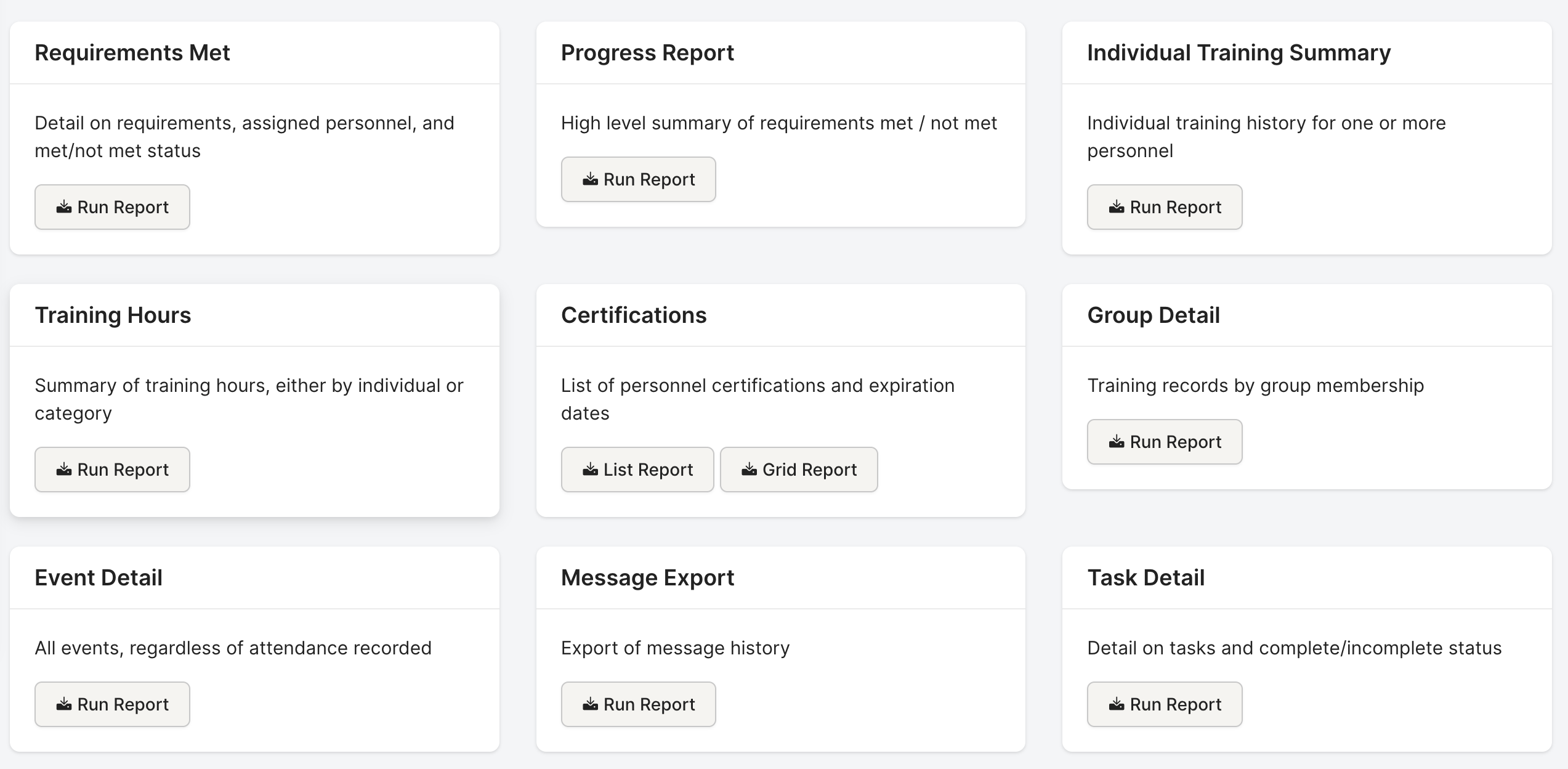
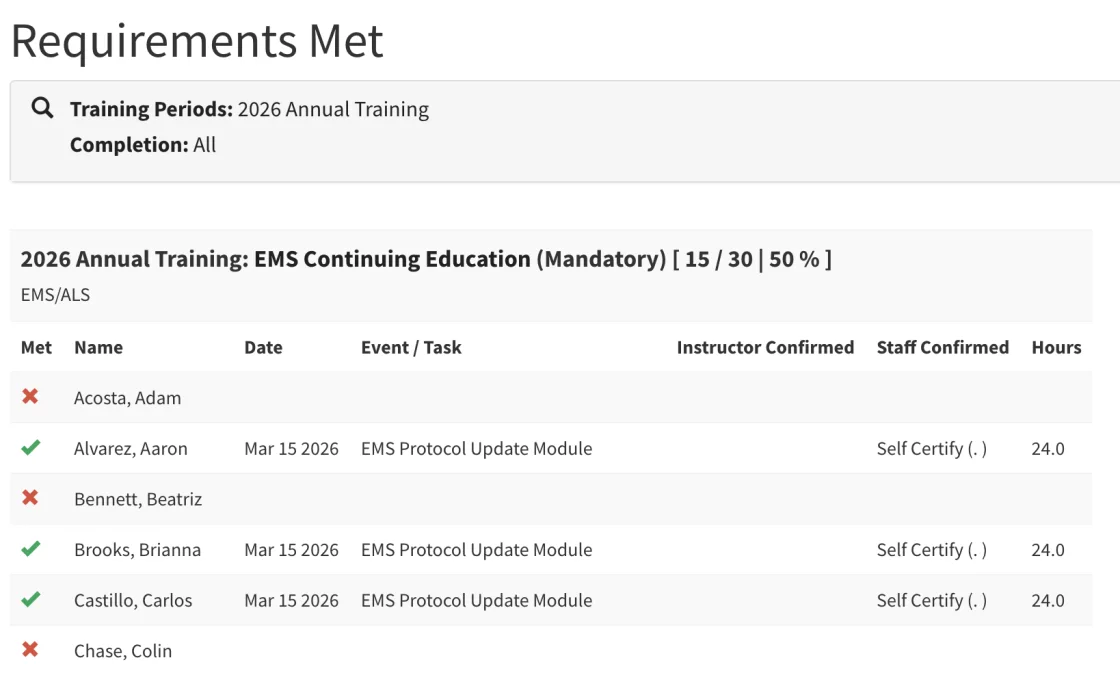
Requirements Met
A cross-tabulation grid: every member vs. every requirement, showing met/not-met status. The report auditors actually want to see.
- Member-by-requirement grid
- Filter by training period and group
- The report auditors actually want
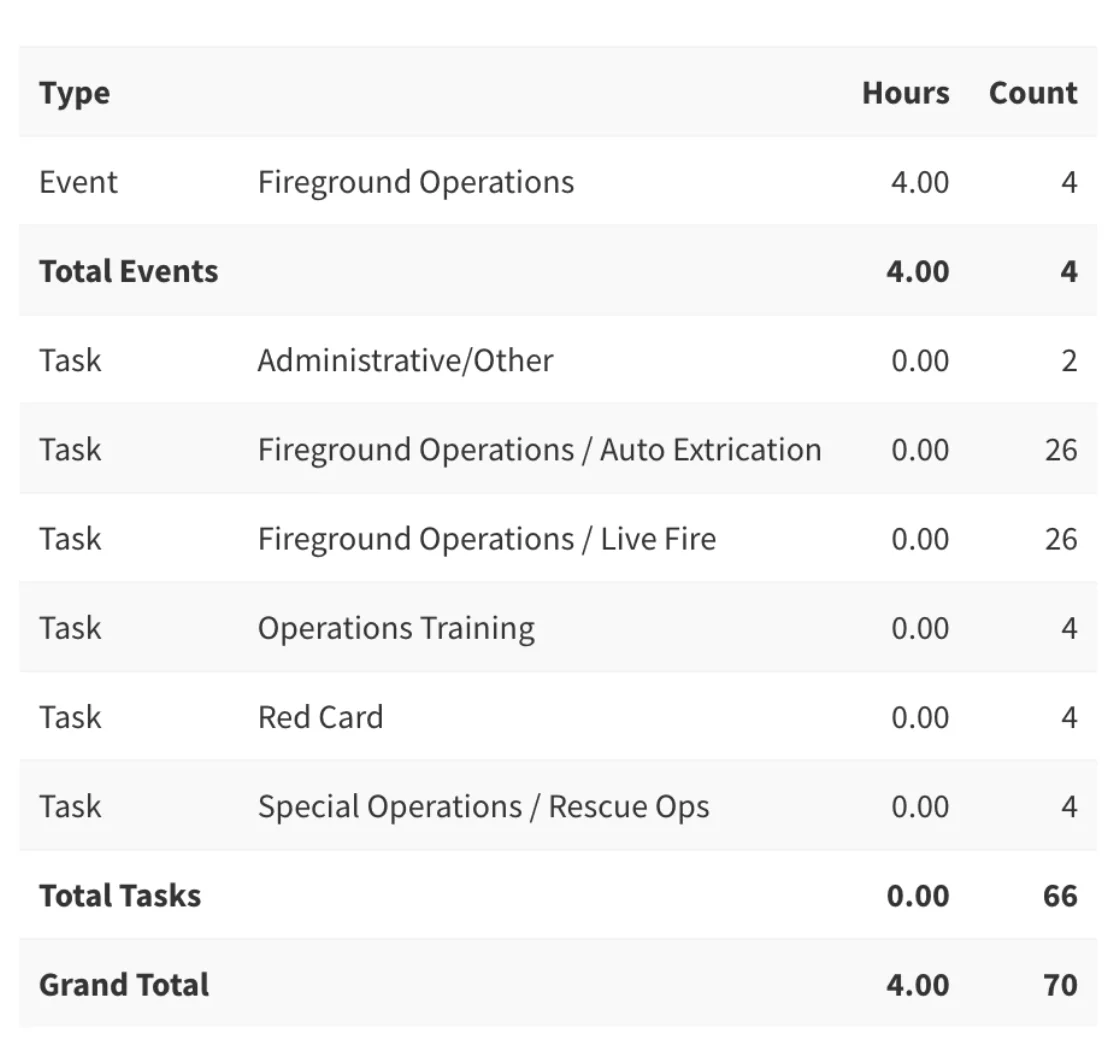
Training Hours
Hours by individual or by category, groupable by shift. See exactly how many hours each member has logged and in what areas.
- Hours by individual or category
- Group by shift
- See exactly what's been logged
Reports that used to take hours now take seconds. Attendance, completion, certification grids, hours — export to PDF and done.Training Officer, Career Department
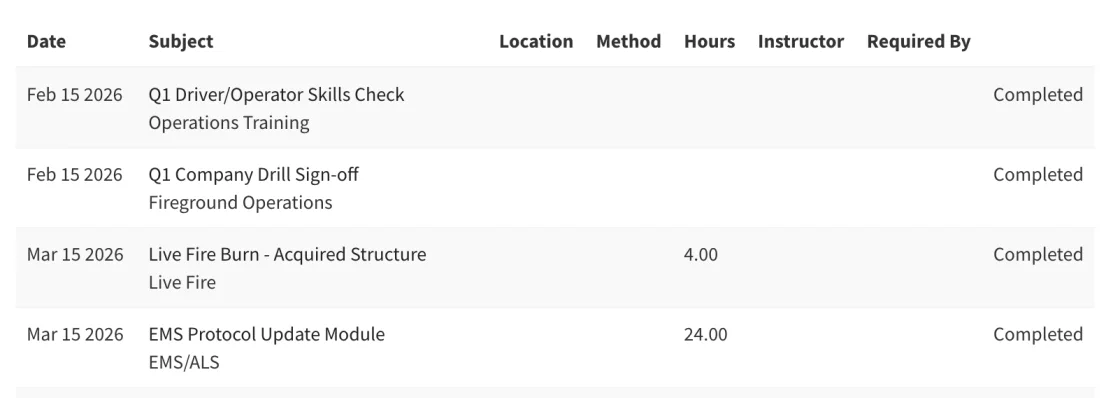
Individual Training Summary
Full training history for one or more members — every event attended, every task completed, every course finished — with dates and hours.
- Complete training history
- Events / tasks / courses with dates and hours
- Per-member detail
Certifications Grid
Every member's certifications with expiration dates. Color-coded: red for expired, yellow for expiring soon. Catch gaps before the state does.
- Expiration date tracking
- Color-coded status indicators
- Catch gaps before the state does
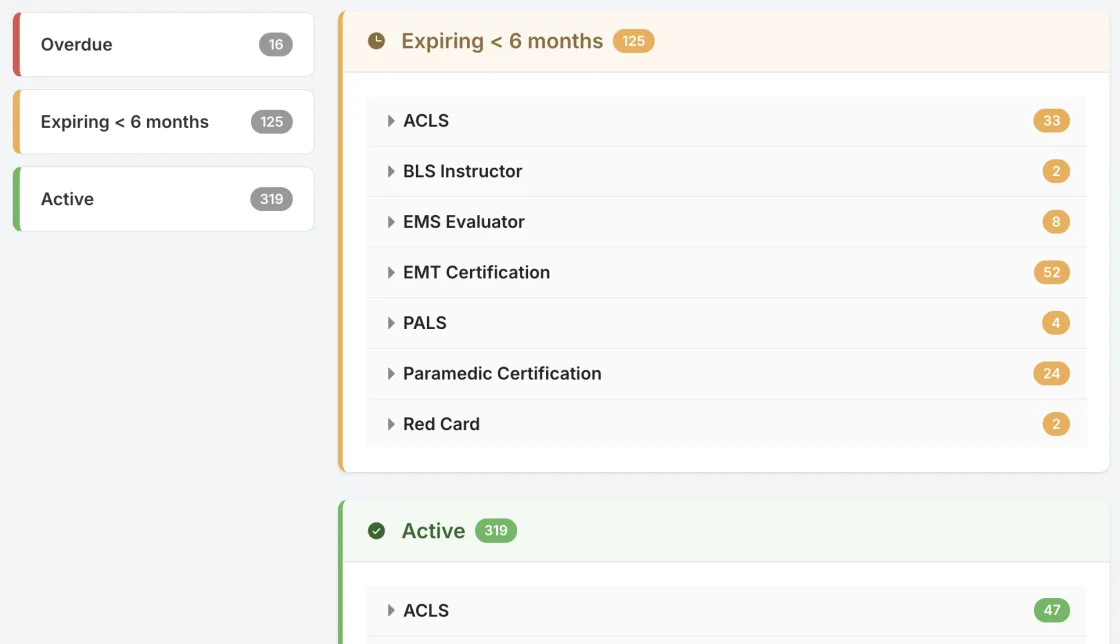
I can quickly see where members stand with their training hours.Fire Chief, Volunteer Department
Multiple Export Formats
Every report exports to PDF (formatted for print), Excel (with color-coding and formatting), or CSV (for your own analysis). Large reports generate in the background.
- PDF for auditors
- Excel with formatting
- CSV for custom analysis
- Background generation for large reports

Extensive Filtering & Permissions
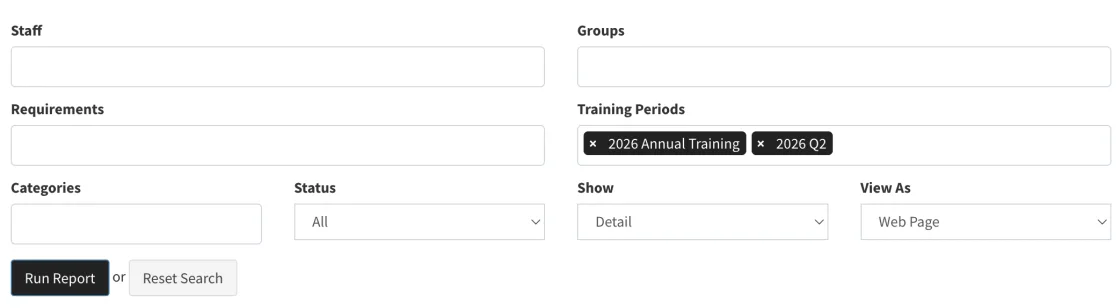
Date ranges, groups, shifts, stations, requirement types, completion status — filter reports down to exactly the data you need. Permission-based access ensures no one sees data they shouldn't.
- Filter by any dimension
- Members see their own data
- Training officers see their group
- Admins see everything
How It Works
Select
Choose from 14+ pre-built report types.
Filter
Set date range, groups, requirement types, completion status, and other criteria.
Generate
View on screen or export to PDF, Excel, or CSV.
Deliver
Hand the auditor a formatted report. Done.
Who It's For
Training Officers
Stop building reports by hand. Every report you need is one click and a few filters away.
Chiefs
Get a real-time picture of department readiness without asking anyone to run numbers.
Auditors
Formatted, filterable reports that answer compliance questions directly.
Members
View your own training history and certification status anytime.
Fire Academies
Produce certification-ready reports for accrediting bodies and for the departments sending you recruits.
Everything Works Together
Your data enters once and flows everywhere it needs to go. Requirements, Events, Tasks, Task Books, Reports, and Department Management are all connected.
Ready to Ditch the Spreadsheets?
See how Rescue Hub can replace your paper forms, scattered files, and manual tracking with one platform your whole department will actually use.