
Know Who's Met Every Requirement — Instantly
Define your training requirements once. Rescue Hub tracks every hour and every completion automatically.
- Automatic fulfillment as staff complete training
- Real-time compliance dashboard by group
- One-click audit reports with PDF export
Define the standard once. Let the training fill it in.
A requirement is your definition of what 'trained' means for a group — a number of hours or completions, in a category, within a training period. Instead of checking people off one by one, you link the events, tasks, and courses that count toward it. From there, every time a staff member completes that linked training, Rescue Hub measures them against the standard automatically. You stop tracking individuals and start defining the bar — the system keeps score, in real time, and shows you exactly who's met it and who hasn't.
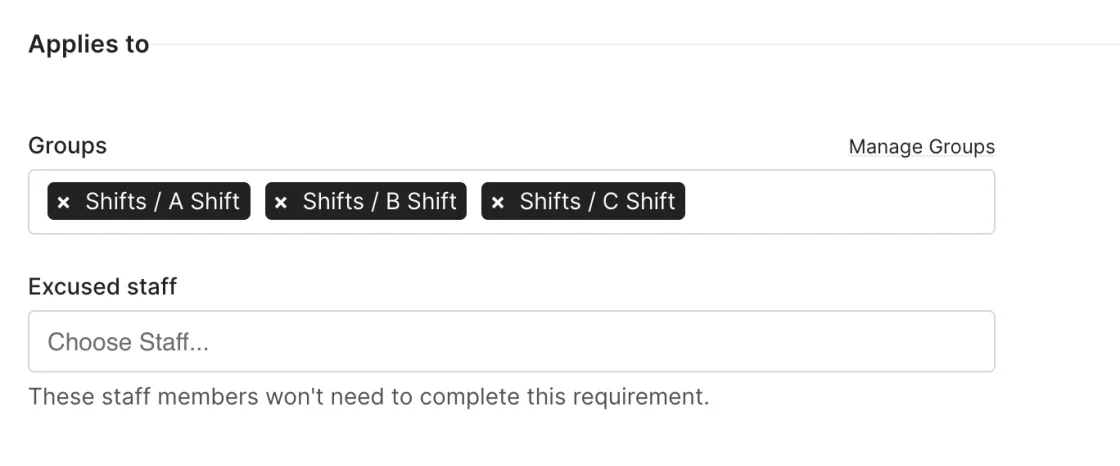
Automatic Group Assignment
Assign a requirement to a group and every active member is tracked. New member joins mid-year? They're picked up automatically. No per-person spreadsheet rows.
- Auto-expand to all active members
- Mid-year additions handled automatically
- No individual assignment needed
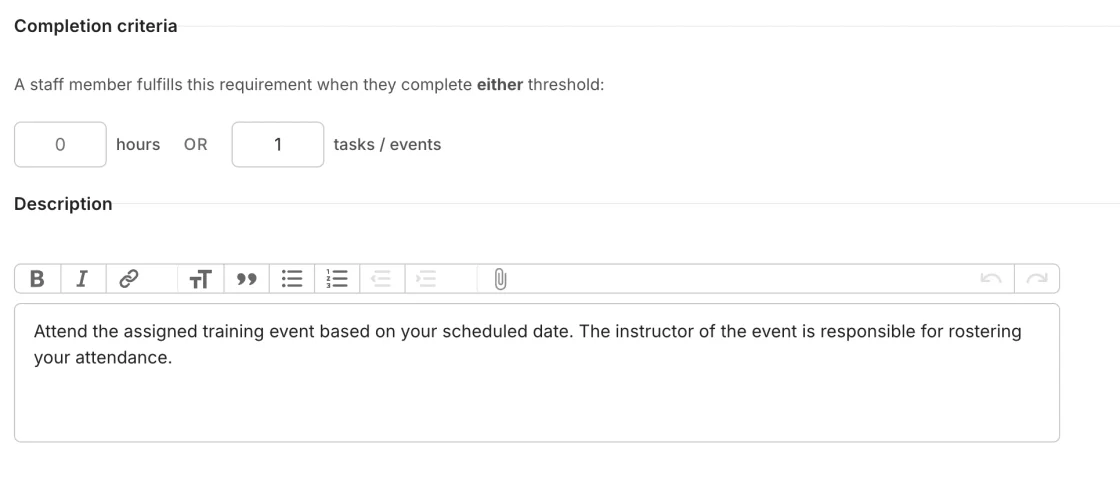
Flexible Completion Criteria
Define requirements by hours, by occurrences, or by simple completion. Whether it's "36 hours of CE," "2 live fire drills," or "complete orientation" — the system handles the math.
- Hours-based tracking (e.g., 36 hours of CE)
- Occurrence-based tracking (e.g., 2 live fire drills)
- Simple completion tracking
- System handles all the math
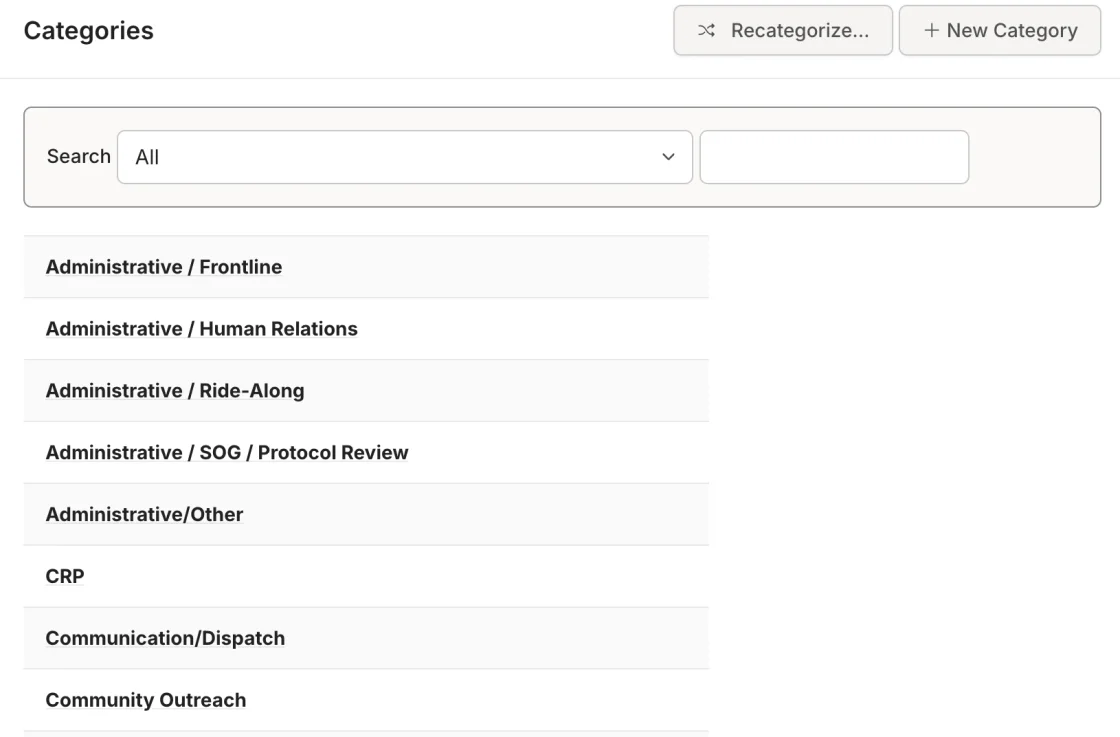
Hierarchical Requirement Types
Organize requirements into categories that mirror your state's training taxonomy. "EMS > Medical > Pharmacology" or "Fire > Suppression > Live Fire." Up to four levels deep.
- Mirror your state's training taxonomy
- Up to four category levels
- Organize by discipline and topic
Real-Time Fulfillment
When a member attends an event or completes a task linked to a requirement, their hours update instantly. No batch processing. No end-of-month reconciliation.
- Instant updates on completion
- No batch processing
- No end-of-month reconciliation
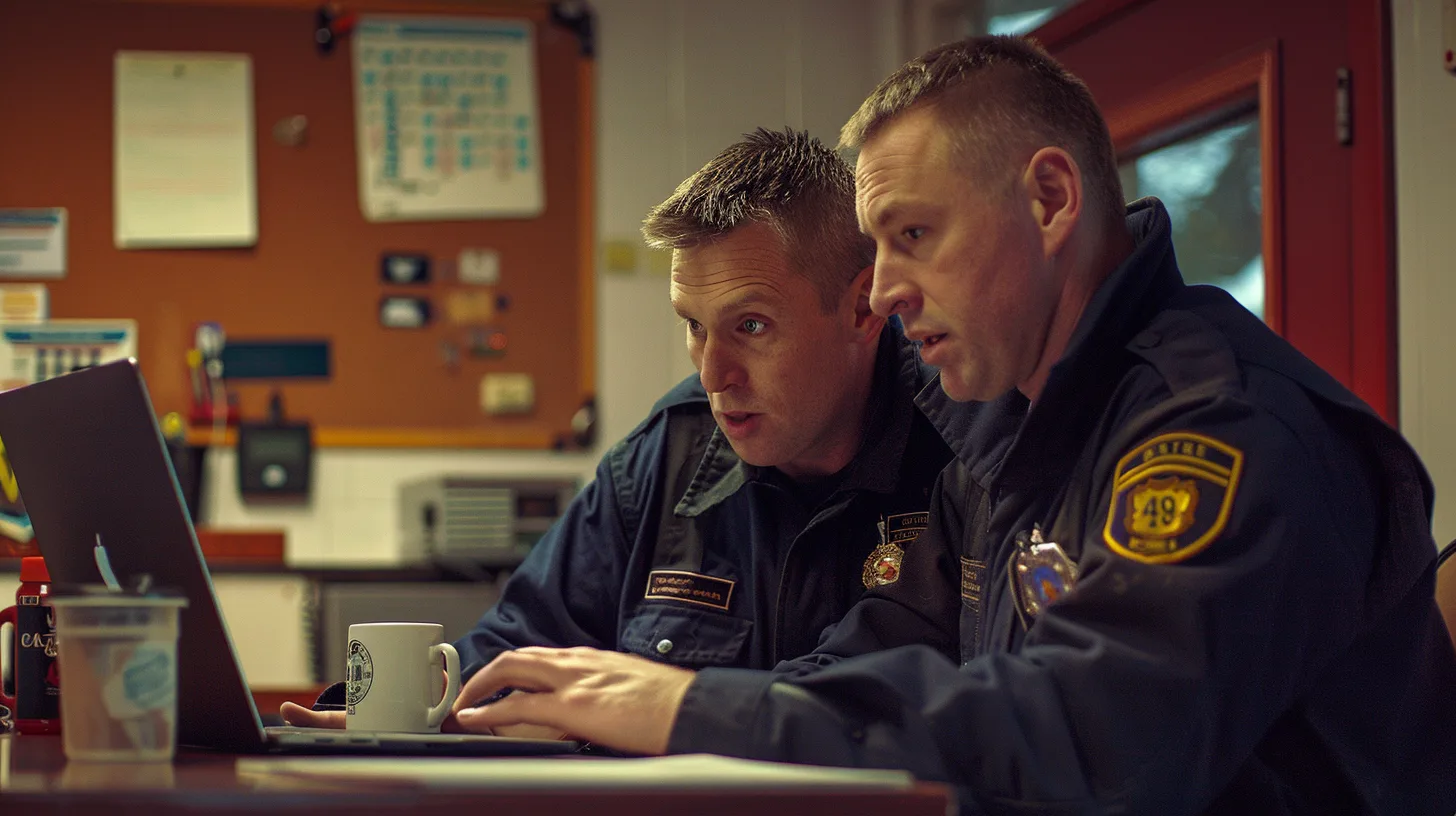
I can quickly see where members stand with their training hours. It's made compliance tracking effortless.Fire Chief, Volunteer Department
Compliance Dashboard
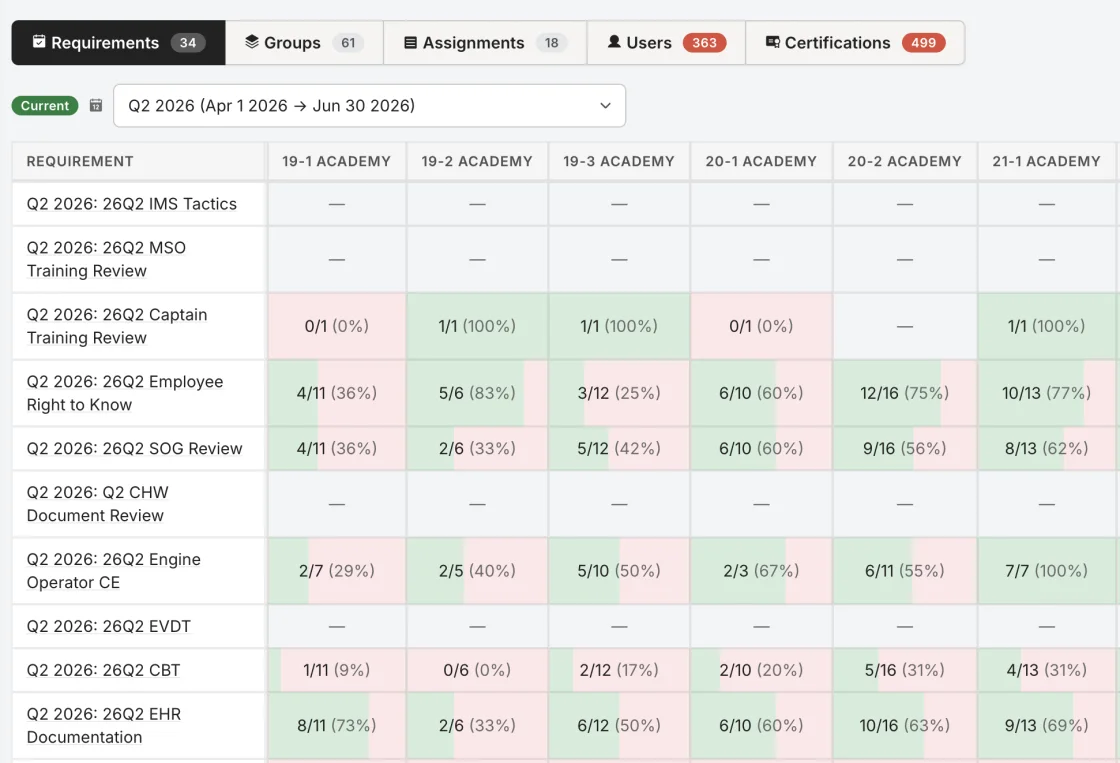
See every requirement at a glance: who's met it, who hasn't, who's excused, and what percentage of the group is compliant.
- Filter by training period and group
- Filter by requirement type and status
- Percentage-based compliance view
One-Click Gap Response
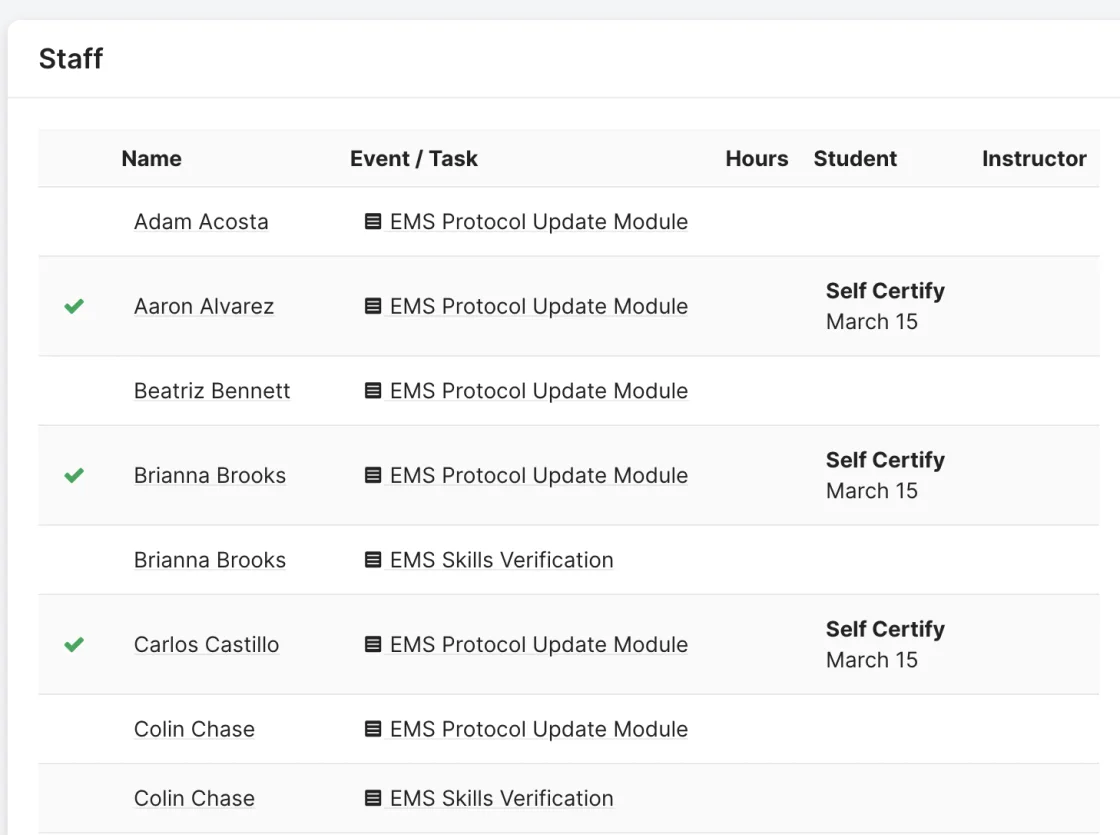
See who's behind? Message them directly. Assign them a task to close the gap. Excuse a member on leave. Mark someone "unable to complete" with a documented reason. All from the requirement detail page.
- Message members directly
- Assign corrective tasks
- Document excuses and incompletions
We were looking for a solution to track training and keep up to compliance with required WAC training and department requirements.Administrative Staff, Career Fire Department
Full Audit Trail
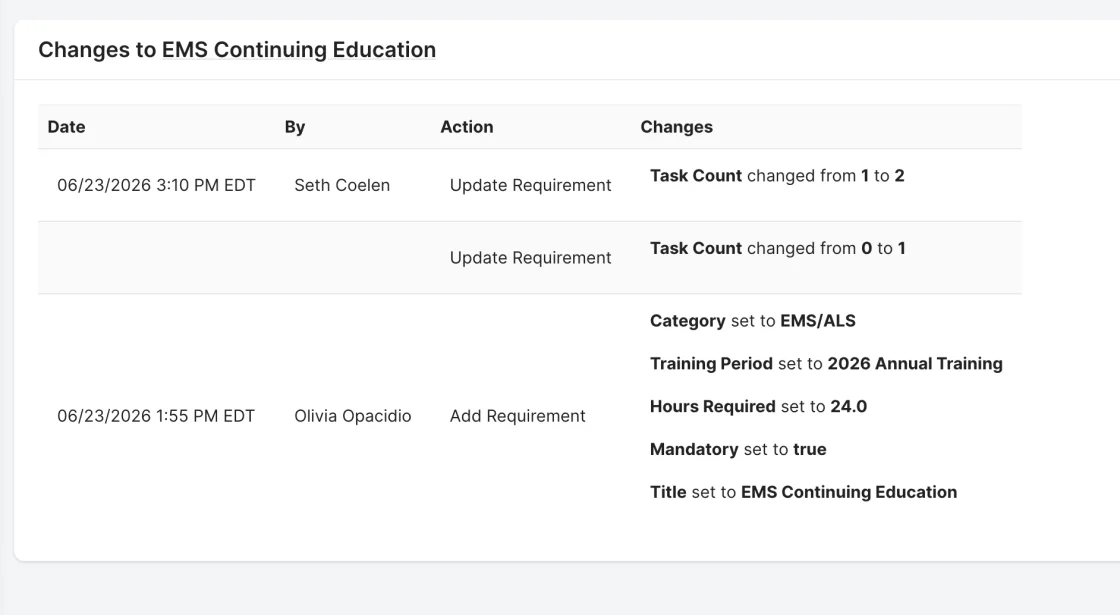
Every change to a requirement — who created it, who modified it, what changed — is logged with timestamps. Your records hold up because they're traceable.
- Timestamped change log
- Traceable from creation to completion
- Holds up under audit
How It Works
Define
Create a requirement with a title, hours or occurrences, training period, and assigned groups.
Link
Connect it to events, tasks, or courses that satisfy it.
Track
Members complete training and fulfillment updates automatically.
Monitor
Dashboard shows real-time compliance across your department.
Prove
Pull a report filtered by period and group. Export to PDF. Done.
Who It's For
Training Officers
Stop manually cross-referencing spreadsheets. The system does the tracking for you.
Chiefs
See department-wide compliance at a glance without asking anyone to run a report.
Members
Know exactly what's required, what's done, and what's left — on your own dashboard.
Everything Works Together
Your data enters once and flows everywhere it needs to go. Requirements, Events, Tasks, Task Books, Reports, and Department Management are all connected.
Ready to Ditch the Spreadsheets?
See how Rescue Hub can replace your paper forms, scattered files, and manual tracking with one platform your whole department will actually use.